
Up Log and Opportunity Reports
Record every visit where it happened.
The Up Log runs your rotation and captures customer activity visit by visit, so your reports show what really happened on the floor.
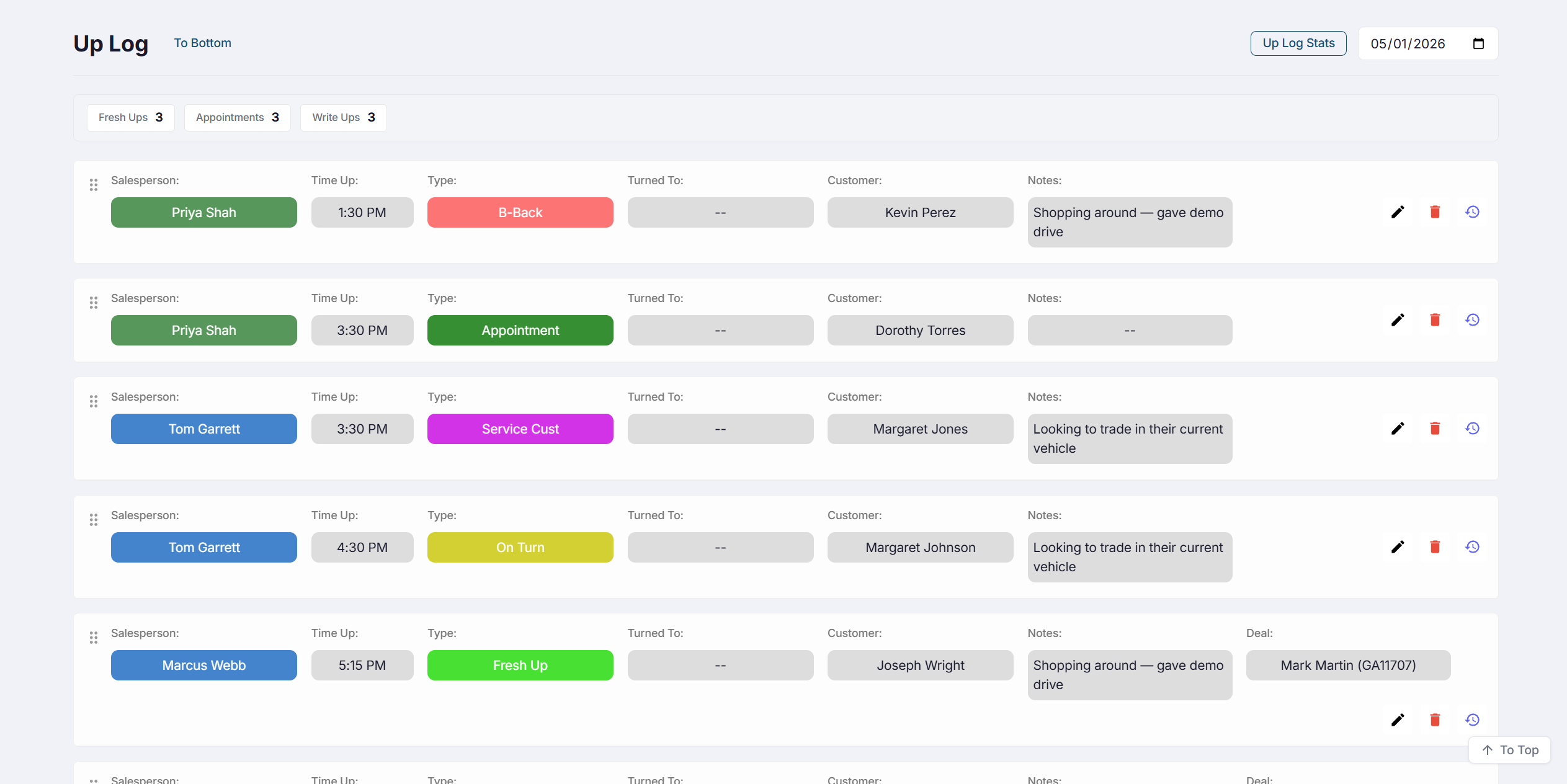
What the Up Log records.
The Up Log can manage the salesperson rotation your dealership uses and records customer-facing activity throughout the day. Its reports are only as accurate as the individual visit records, so every term means one thing.
- Fresh
- First in-person visit for this particular deal, even if the customer leaves before contact.
- PG
- Power Greeting. Customer contact occurred, even briefly.
- Appointment
- Customer arrived because an appointment was established.
- BDC
- BDC attribution. Can coexist with Fresh.
- Self-Generated
- Salesperson created the opportunity, with the source identified.
- Working
- Hot opportunity actively and consistently followed in the CRM.
- TD, WU, TA
- Test drive, write-up and trade appraisal on this visit.
- Sold
- Sold result on this visit.
- Bought Elsewhere
- Customer told the dealership they purchased elsewhere, with lost reason and source when known.
The rules that keep the numbers honest.
These come straight from the Up Log Training Manual.
Returns are appointments, not Fresh
If great follow-up gets a customer who has already visited back into the store, record the return as an Appointment only.
A Fresh appointment is usually self-generated
Repeat customers, referrals, social media, personal marketing and networking. Record Appointment + Fresh + Self-Generated + Source when all are true.
BDC first visits stay with the BDC
If the BDC set the first visit and the salesperson took it on their turn, record Fresh Up with BDC checked. It is not self-generated.
Activity belongs to the visit where it happened
Visit 1 might be Fresh + PG + Test Drive. If the customer returns and buys, Visit 2 shows Write Up + Sold only.
Working means actively followed. Lost means known.
Use Working only for legitimate hot opportunities. Record lost reason, source and where they bought when you know it. Do not guess.
From a number to the customers behind it.
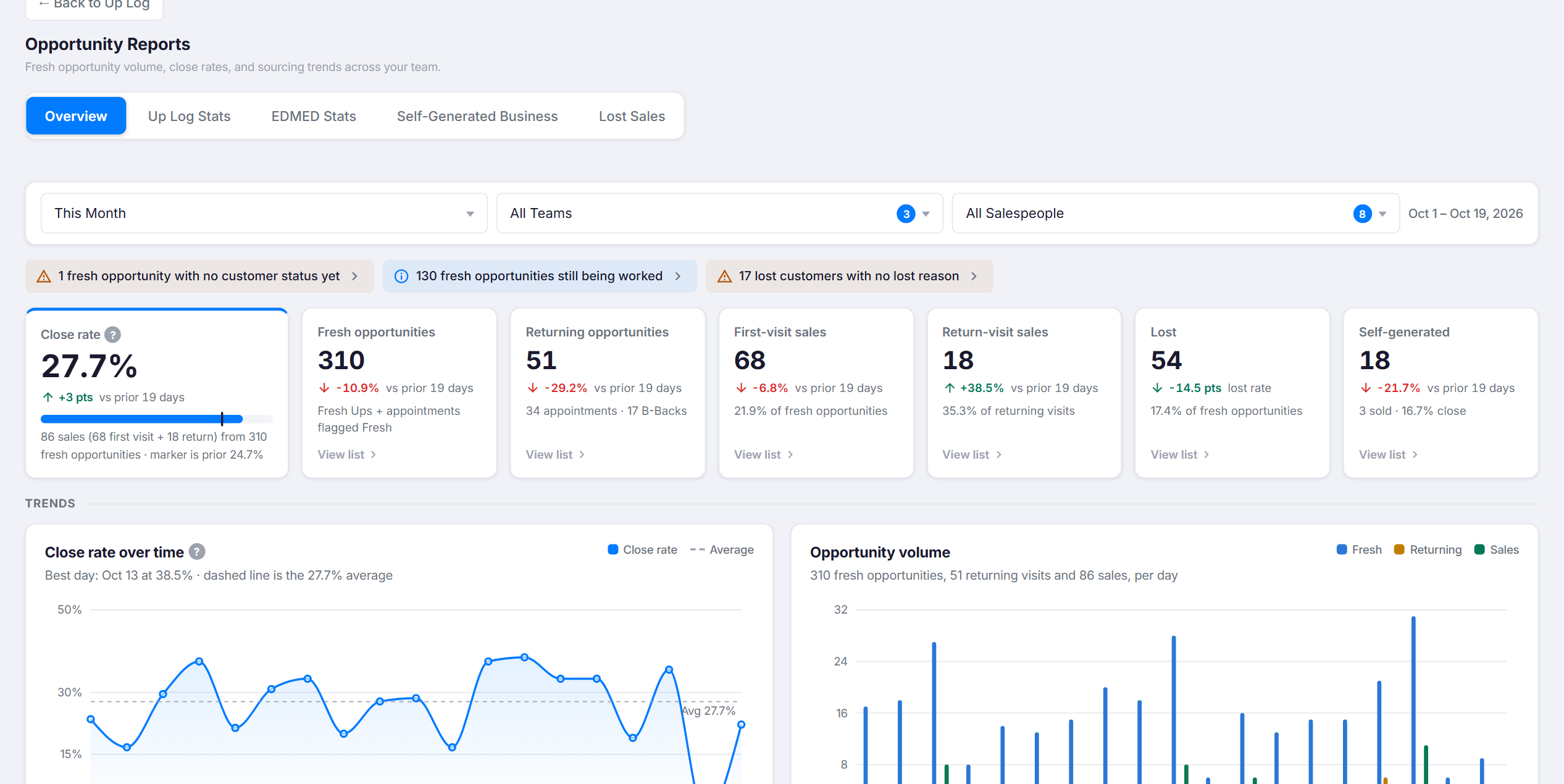
Opportunity Reports filter by time, team and salesperson. Click a metric to open the individual opportunities included in it.
- Fresh, appointments, Working, lost and self-generated in one view
- Test drives, write-ups, appraisals and sold results by salesperson and by visit
- BDC and self-generated sources tracked separately
Help today, not just audit afterward.
Sales Managers review each salesperson's activity daily to find missed contact, process gaps, legitimate Working opportunities, returns that need a manager, lost opportunities and self-generated activity, while the outcome can still change.
Get the Up Log Training Manual.
Six pages covering Fresh, PG, appointments, BDC, visit rules and daily manager use.
See the Up Log on your store's traffic.
A 30-minute walkthrough, set up around your store.
- Your setup. Your car types, teams and Up Log options, not a generic demo account.
- Your questions. Bring the ones you ask every morning and we'll show you where the answer lives.
- Your timeline. What it takes to go live, and who on your team needs to be involved.
Prefer email? support@dealsync.org