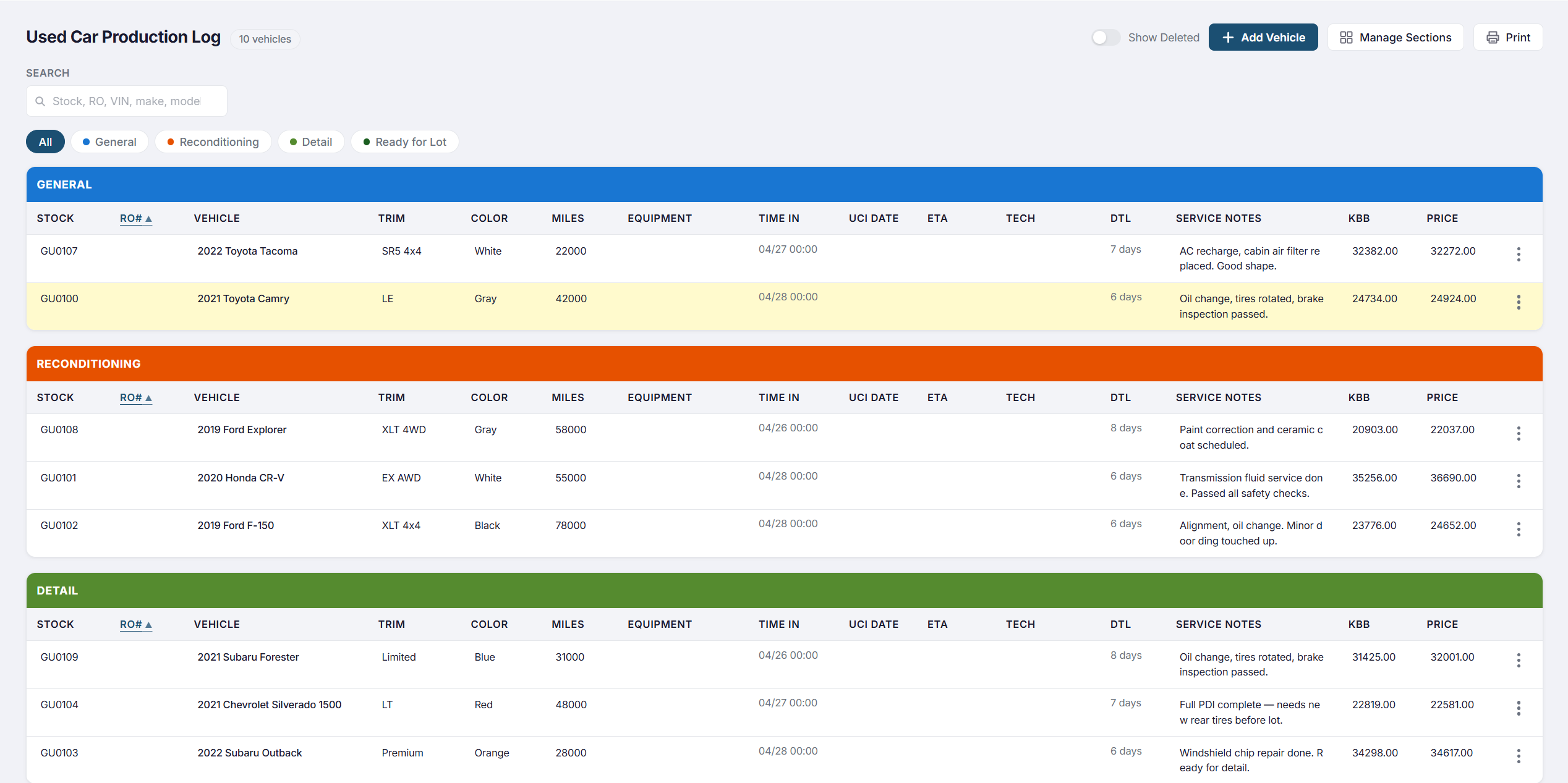
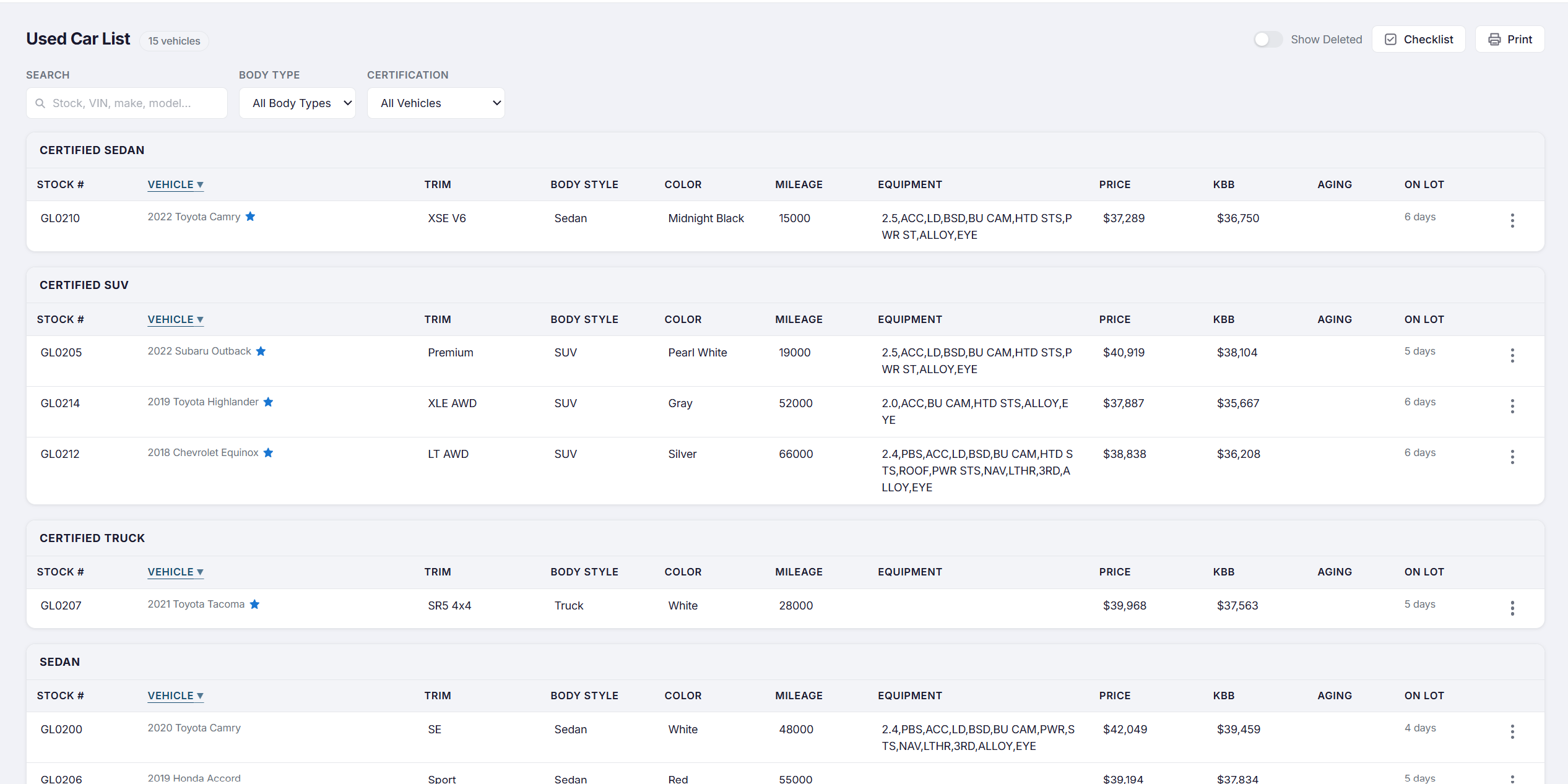
Enter a VIN on a deal and it lands in your Production Log automatically. Work it through recon, move it to the active list when it's ready, and track every step to sold — across every rooftop in your group.
How a Vehicle Moves Through DealSync
What's Included
The Used Car Pipeline was built around the real-world chaos of used vehicle management — because no two cars arrive the same way.
Enter a VIN on any deal and it instantly appears in the Production Log. No duplicate entry — the vehicle is tracked from the moment the deal is written.
Every vehicle shows how long it's been sitting — in the Production Log and on the active list. Aging inventory is visible at a glance so nothing gets buried.
When recon is complete, move the vehicle to the active Used Car List with one action — carrying all its history, notes, and checklist completions with it.
Send any vehicle to a partner rooftop with full history intact. The receiving store sees all notes, recon records, and audit logs — nothing lost in transit.
Every status change, checklist update, and field edit is logged with user attribution and timestamp. Every vehicle has a permanent, uneditable history.
Sold vehicles are archived with full history intact. Pull up any car from any month to see exactly what happened, when, and who was involved — years later if needed.
Production Log
The moment a salesperson enters a VIN on a trade-in or incoming vehicle, DealSync creates a Production Log entry automatically. No second form, no phone call to the used car manager.
Used Car List
The used car list shows every active vehicle with stock number, year/make/model, days on lot, current status, and reconditioning progress — all on one screen.
Built for the Whole Group
Open any vehicle and see everything: VIN, stock number, cost, book value, retail price, timestamped notes, and an uneditable audit log.
Book a 30-minute demo and we'll show you how DealSync gives your used car operation the structure and visibility it's been missing.